


How to Stop Hackers from Accessing Your LinkedIn Connections
Recover LinkedIn Account:
📌 Table of Contents
- Introduction
- Why Hackers Target Your LinkedIn Connections
- Signs Your LinkedIn Account May Be Hacked
- Steps to Secure Your LinkedIn Profile
- How to Recover LinkedIn Account After a Hack
- Best Practices to Prevent Future Hacks
- Conclusion
Introduction:
LinkedIn has become more than just a job-searching platform — it’s a professional network that holds valuable information, contacts, and business opportunities. Unfortunately, hackers often target LinkedIn accounts to steal personal data, scam connections, or spread malicious links.
If your account has been compromised, the first step is to recover LinkedIn account access. But more importantly, you must take preventive measures to stop hackers from exploiting your professional network. This guide will show you exactly how to do that.
Why Hackers Target Your LinkedIn Connections
Hackers aren’t just interested in your account — they want your network. Once inside, they can:
- Send spam or phishing messages to your contacts.
- Impersonate you to trick connections into sharing sensitive information.
- Collect personal and business data for fraud.
- Damage your professional reputation.
Protecting your LinkedIn profile means safeguarding not just your own data, but your network’s trust.
Signs Your LinkedIn Account May Be Hacked
Watch for these warning signs that your LinkedIn account may be under attack:
- You can’t log in despite using the correct password.
- Unknown posts, messages, or invitations sent from your account.
- Unrecognized login locations or devices.
- Notifications of password or email changes you didn’t make.
If you notice any of these, take immediate action to recover LinkedIn account access before the hacker causes more damage.
Steps to Secure Your LinkedIn Profile
Enable Two-Step Verification
Two-step verification adds an extra layer of security. Even if a hacker has your password, they won’t be able to log in without the verification code sent to your phone or email.
Regularly Update Passwords
Use a strong, unique password that includes a mix of letters, numbers, and symbols. Avoid reusing passwords across multiple platforms.
Check Active Sessions
Go to LinkedIn settings and review all logged-in sessions. If you see any unknown devices, log them out immediately.
Review Third-Party App Access
Sometimes, hackers exploit third-party apps connected to LinkedIn. Remove suspicious apps or services you don’t recognize.
How to Recover LinkedIn Account After a Hack
If your account is already compromised, here’s how you can recover LinkedIn account access:
Use LinkedIn Account Recovery Page
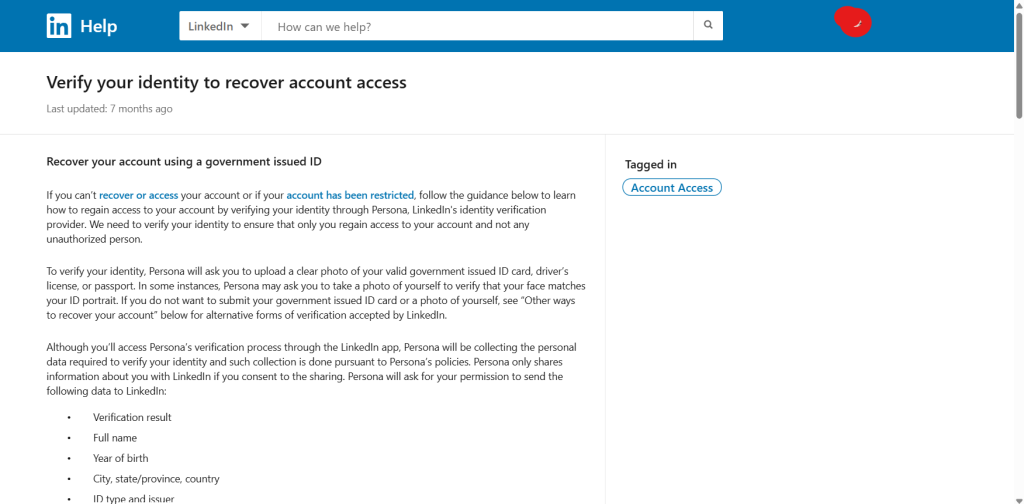
Visit LinkedIn’s Account Recovery Page to regain control. Provide your email or phone number linked to your account.
Reset Your Password Immediately
Use the password reset option to create a new, secure password. Make sure it’s different from any you’ve used before.
Contact LinkedIn Support
If recovery attempts fail, contact LinkedIn’s support team for assistance. They can help verify your identity and restore account access.
Best Practices to Prevent Future Hacks
- Enable email alerts for suspicious logins.
- Avoid clicking on unknown links in messages.
- Keep your email account secure (since it’s linked to LinkedIn).
- Use a password manager for strong, unique credentials.
- Regularly monitor your account activity.
Conclusion
Your LinkedIn profile is your digital professional identity. Allowing hackers to access your connections can harm your reputation and put others at risk. By following the steps above, you can secure your profile, prevent breaches, and quickly recover LinkedIn account access if it’s compromised.
👉 Stay proactive. Secure your account today and protect your professional network from cyber threats.
