


Nmap Tool Explained – Scan Any Network Like a Pro
Network security is one of the most important parts of cybersecurity. Before securing a network, professionals must first understand what devices and services exist on that network. This is where the Nmap Tool becomes extremely powerful.
The Tool (Network Mapper) is one of the most widely used tools by cybersecurity professionals, ethical hackers, and network administrators. It helps scan networks, discover devices, identify open ports, and detect potential vulnerabilities.
In this guide from Axximum Infosolutions, you will learn everything about the Tool, including how it works, common commands, and how security professionals use it to analyze networks like experts.
What is the Nmap Tool?
The Nmap Tool (Network Mapper) is an open-source network scanning tool used to discover devices and services running on a network.
It helps security professionals answer important questions like:
- Which devices are connected to the network?
- Which ports are open?
- What services are running?
- Which operating system is being used?
Using the Tool, cybersecurity experts can map an entire network within minutes.
Why the Nmap Tool is Important in Cybersecurity
The Tool plays a critical role in network security because it helps identify vulnerabilities before attackers can exploit them.
Key Reasons Security Professionals Use Nmap
- Detect open ports
- Identify vulnerable services
- Discover unauthorized devices
- Monitor network security
- Perform penetration testing
For ethical hackers, the Tool is often the first step in reconnaissance during a security assessment.
Key Features of the Nmap Tool
The Nmap Tool offers many powerful features that make it one of the most trusted cybersecurity tools.
1. Host Discovery
Nmap can identify active devices on a network.
2. Port Scanning
It checks which ports are open, closed, or filtered.
3. Service Detection
Nmap can identify which services are running on each port.
4. OS Detection
The tool can detect the operating system of a device.
5. Script Engine (NSE)
Nmap includes scripts that help detect vulnerabilities.
6. Network Mapping
It can create a full map of the network infrastructure.
How the Nmap Tool Works
The Tool works by sending specially crafted packets to target systems and analyzing the responses.
Step-by-Step Process
- Nmap sends packets to the target host
- The host responds based on its configuration
- Nmap analyzes the response
- It determines the status of ports and services
This process helps security professionals understand the network structure and possible security gaps.
Installing the Nmap Tool
Installing the Tool is simple and available for multiple operating systems.
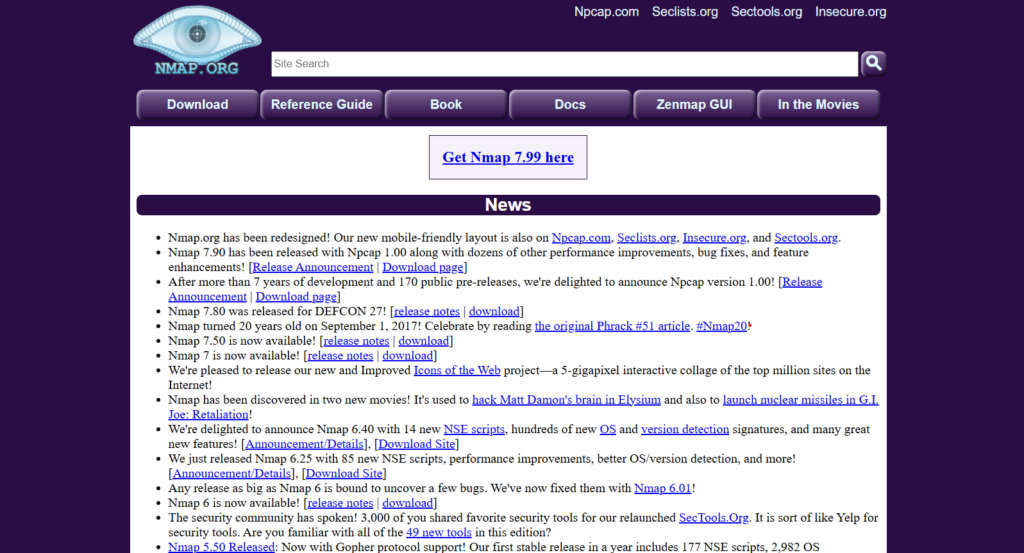
Windows Installation
- Visit the official Nmap website
- Download the Windows installer
- Run the installer
- Follow the installation steps
Linux Installation
Run the following command:
sudo apt install nmapMac Installation
Use Homebrew:
brew install nmapOnce installed, you can run Nmap directly from the terminal or command prompt.
Basic Nmap Commands for Beginners
Here are some common Nmap Tool commands beginners should know.
Scan a Single IP
nmap 192.168.1.1Scan Multiple IPs
nmap 192.168.1.1 192.168.1.2Scan an Entire Network
nmap 192.168.1.0/24Scan Specific Ports
nmap -p 80,443 192.168.1.1Detect Services
nmap -sV 192.168.1.1These commands help beginners start using the Tool effectively.
Advanced Nmap Scanning Techniques
For professional security assessments, advanced scanning techniques are often used.
SYN Scan
nmap -sS 192.168.1.1Also known as a stealth scan, this method is fast and commonly used in penetration testing.
OS Detection
nmap -O 192.168.1.1This command helps identify the target operating system.
Aggressive Scan
nmap -A 192.168.1.1Provides detailed information including services, OS detection, and traceroute.
Script Scanning
nmap --script vuln 192.168.1.1This command runs vulnerability detection scripts.
Common Use Cases of the Nmap Tool
The Nmap Tool is widely used in different cybersecurity scenarios.
Network Security Audits
Organizations scan their networks to detect security gaps.
Penetration Testing
Ethical hackers use Nmap for reconnaissance.
Device Discovery
Network administrators identify unknown devices.
Vulnerability Detection
Nmap helps identify outdated services and misconfigurations.
Best Practices While Using Nmap
Using the Tool responsibly is very important.
Follow These Best Practices
✔ Always obtain permission before scanning networks
✔ Avoid scanning unknown or external systems
✔ Use Nmap for ethical and security purposes only
✔ Document scan results for security improvements
Unauthorized scanning can be considered illegal in many cases.
Conclusion
The Tool is one of the most powerful tools in the cybersecurity world. It helps professionals scan networks, detect vulnerabilities, and understand network infrastructure.
Whether you are a beginner learning cybersecurity or an experienced ethical hacker, mastering the Tool is an essential skill.
At Axximum Infosolutions, we provide practical cybersecurity training where students learn tools like Nmap, Wireshark, Metasploit, and many more through real-world labs.
Want to Build a Career in Cybersecurity?
Join the Cyber Security Training Program at Axximum Infosolutions and start learning professional security tools used by experts worldwide.
Frequently Asked Questions (FAQs)
1. What is the Nmap Tool used for?
The Nmap Tool is used to scan networks, detect open ports, identify services, and analyze network security.
2. Is the Nmap Tool legal?
Yes, the Nmap Tool is legal when used for authorized security testing or educational purposes.
3. Is Nmap free to use?
Yes. Nmap is an open-source and free network scanning tool used by cybersecurity professionals.
4. Can beginners learn the Nmap Tool?
Yes. Beginners can easily start learning Nmap with basic commands and gradually move to advanced scanning techniques.
5. Is Nmap used by ethical hackers?
Yes. Ethical hackers widely use the Nmap Tool during the reconnaissance phase of penetration testing.
